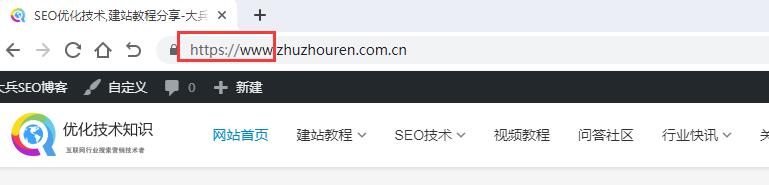
















Steps to fix Google Chrome not showing www, HTTP or HTTPS||| desc |||For webmasters, it is very necessary to display the URL prefix. Previously, the Chrome69 version on
Chrome Google browser hides the www, http and https protocols to give users a cleaner experience. But for webmasters, sometimes you want to show www, http or https. In older versions of Google Chrome, you only needed to set Omnibox UI Hide Steady-State URL Trivial Subdomains to Disabled. But this no longer works in newer versions. You now need to change two settings, as shown below:
How to show www, http or https protocol in Chrome Google browser
Paste the following two lines of code into the Chrome address bar respectively:
chrome://flags/#omnibox-ui-hide-steady-state-url-scheme;
chrome://flags/#omnibox-ui-hide-steady-state-url-trivial-subdomains。
Steps to show www in Chrome Google browser
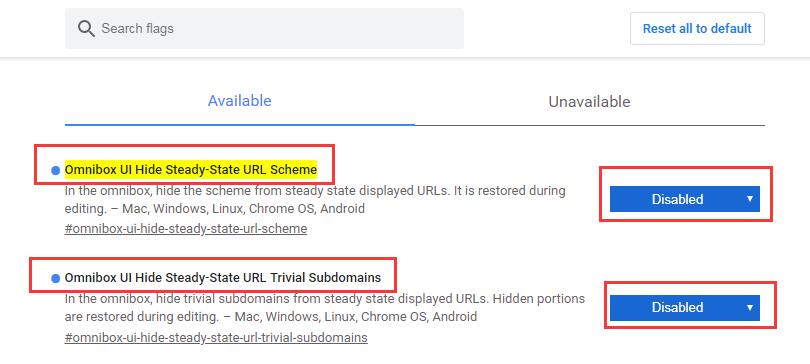
Set Omnibox UI Hide Steady-State URL Trivial Subdomains to Disabled;
Set Omnibox UI Hide Steady-State URL Scheme to Disabled。
In summary, if Chrome does not show www, http or https protocol, just set both Omnibox UI Hide Steady-State URL Scheme and Omnibox UI Hide Steady-State URL Trivial Subdomains to Disabled, as shown in the image below:
2. Restore hiding www, http or https protocol in Chrome Google browser
How to re-hide www, http or https protocol in Chrome Google browser:
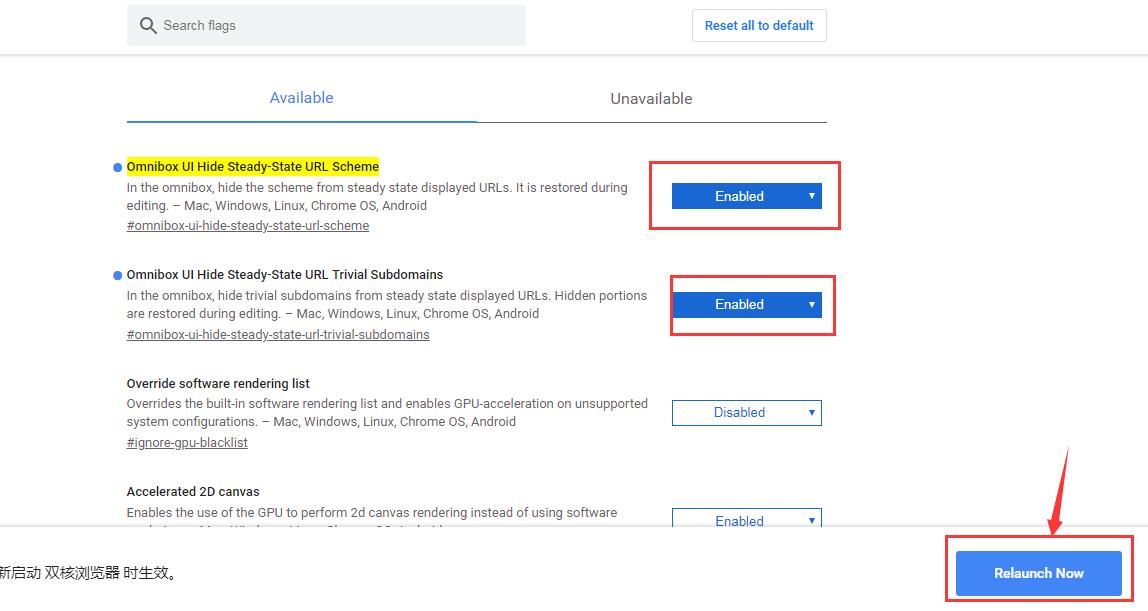
Copy chrome://flags/#omnibox-ui-hide-steady-state-url-scheme and
chrome://flags/#omnibox-ui-hide-steady-state-url-trivial-subdomains, paste them into the address bar and press Enter. Then change the Default option to Enabled and click the button at the bottom of the browser to restart it. It is said that future versions of Chrome will remove this setting option. In that case, you may only be able to show www, http or https protocol through Chrome extensions. Below we show you how to display WWW, HTTP or HTTPS when there is no Default setting option in Google Chrome.
3. Steps to show WWW, HTTP or HTTPS without Default setting option in Google Chrome
After updating Google Chrome a while ago, Dabing noticed that the www and https protocols were no longer shown on websites. The setting where you change the Default option to Enabled after pasting the two flag URLs into the address bar is no longer available. So Dabing found an alternative solution: use a Google Chrome extension to show the WWW, HTTP or HTTPS protocol. The name and download link of the Chrome extension are as follows:
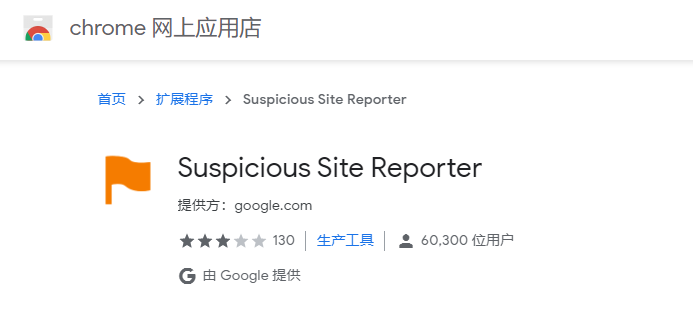
Extension download link: Suspicious Site Reporter
After installing this extension, we found that the domain name now fully shows WWW and HTTPS.